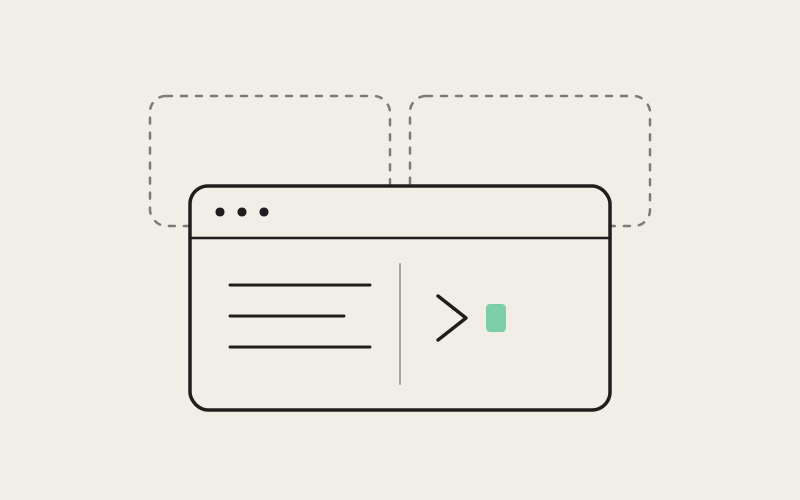
Every developer running AI coding agents hits the same small, constant friction: the plan lives in one app, and the agent doing the work lives in another. Jot down what an agent should do next in a wiki tool, a notes app, or a stray browser tab, and by the time you switch back, the thought that prompted it has already cooled. Influxx starts from the opposite premise — for someone orchestrating a fleet of AI agents across a fleet of worktrees, the note and the work are the same activity, and they belong in the same window.
The Notes App Nobody Reopens
Most developer tooling treats "where I think" and "where I work" as two different products, built on two different mental models. One is a wiki: pages, backlinks, a sidebar of nested folders optimized for organizing a body of knowledge over months or years. The other is an IDE or a terminal: panes, tabs, a file tree optimized for editing and running code right now. Each is a fine tool for what it was built to do. Neither was built for the specific rhythm of running AI coding agents, where the thing you need to write down is rarely a polished document and almost always a fast-moving scratch note — what you just asked an agent to do, what it's blocked on, what you noticed in a diff that the next agent needs to know before it touches the same file.
That mismatch shows up as a predictable failure pattern:
- The context is urgent but disposable: a note like "agent is refactoring the payments module, don't touch billing.ts until it's done" is only useful if it's visible in the next thirty seconds, not after a deliberate app switch.
- The switch costs more than it looks: alt-tabbing to a separate notes product doesn't just cost the few seconds of the switch — it costs the working state you were holding in your head about which agent, which worktree, and which file you were reasoning about.
- The note and the work drift apart: a plan written in one app and executed in another has no mechanical connection between them, so the note either goes stale immediately or never gets referenced again once the agent starts running.
The common result is a notes app full of half-finished pages nobody reopens, and a real working memory that lives nowhere except the developer's own head — which is exactly the memory that gets wiped every time a build finishes, a terminal scrolls past the interesting part, or six agents are running at once and something has to give.
One Left Sidebar, One Middle Tab Strip
Influxx's answer is a rule we hold onto on purpose: one left sidebar, one middle tab strip. Not a notes panel bolted onto the side of an IDE, and not a separate window you flip to — the same sidebar, the same tab strip, used for code, agent sessions, and notes alike. It's the reasoning behind the line we actually put on the product: your CLIs, your notes, one cockpit. Notes aren't a feature we added next to agent orchestration. They're a first-class citizen of the same workspace the agents run in.
Concretely, notes live as plain markdown files in a per-project notes folder. They show up in the same left sidebar as the rest of that project's structure — the same tree where you'd find your worktrees and your running agent sessions — and they open as tabs in the same middle tab strip you use for code editors and agent terminals. There's no second chrome to learn, no separate keyboard muscle memory, no context switch to a different part of the screen. A note is a tab like any other tab.
"We could have shipped notes as a nicer side panel, or a popout window, and it probably would have tested fine in a demo. But the moment notes live in different chrome than the agents, they stop being where you're actually looking. We wanted a note to be exactly as close to the work as a second code file is — not close in spirit, close in pixels."
— Sofia Reyes, Head of Product at ETAPX
Why We Protect It
"One left sidebar, one middle tab strip" is treated internally as a rule that should not break, and we mean that literally. When a new feature gets proposed, one of the standing questions is whether it would need a second sidebar or a second tab strip to work. If the honest answer is yes, the feature gets redesigned until it fits inside the existing model instead. That discipline is easy to state and genuinely hard to hold onto — the natural pull, once a feature has enough of its own settings and its own state, is to give it its own dedicated space. Notes could easily have earned that treatment. We decided proximity to the work mattered more than giving notes a room of their own.
From a Note to a Task, Without Retyping It
The clearest payoff of keeping notes in the same tab strip as agent sessions is that a note doesn't have to stay a note. Write a short plan while you're thinking through a fix — the steps, the files involved, the edge case you want handled — and you can hand that same text directly to an agent as a task, instead of retyping or copy-pasting it into a separate chat prompt. The plan you wrote down and the instruction the agent executes end up being the same artifact, not two versions of the same idea that quietly drift apart.
That single mechanic — turning a note into a task with the plan intact — is what the whole cockpit model is actually in service of. It isn't just that notes are convenient to have nearby; it's that the distance between "a plan I wrote down" and "a task an agent executes" collapses to almost nothing.
"People sometimes ask why the notes editor is just markdown instead of a heavier rich-text document format. The answer is that a note only stays useful as a task if it survives the handoff to an agent exactly as written. Rich formatting has to get flattened into plain text the moment an agent reads it anyway, so we designed the notes editor around the format that actually makes that trip — real markdown files, not a proprietary document that has to be translated first."
— Elena Vasquez, Director of Design at ETAPX
What This Looks Like With Six Agents Running
In practice, this matters most exactly when it would otherwise fall apart: when several agents are running in parallel, each in its own isolated worktree, each on a different CLI. Maybe Claude Code is mid-refactor on one service, Codex is investigating a flaky test in another worktree, and Cursor is waiting on a decision you haven't made yet. The note sitting in the sidebar next to those three tabs is where you track which agent owns which question, what you learned from the run that just finished, and what still needs a human before any agent touches that file again. It's one click from any of the three sessions it's actually about, not a separate app you have to remember to update.
"I used to keep a running scratch file open in a text editor on a second monitor just to track what I'd told each agent to do. Half the time I forgot to update it. Now the note is just another tab next to the agents themselves, so updating it is the same motion as checking on the work — I don't have to remember to do it as a separate errand."
— Renee Castillo, backend engineer running parallel agent sessions at a logistics startup
What We're Not Trying to Build
It's worth being direct about the boundary here, because it's a real trade-off and not a feature we simply haven't gotten to yet. Influxx notes are not an attempt to replace a team wiki or a shared knowledge base, and we don't think they should be judged against one.
- A team wiki optimizes for an audience: it's built to be organized, linked, and searchable by people who weren't in the room when the page was written. That's a different job with different requirements — permissions, structure, long-term findability.
- Influxx notes optimize for one person, mid-task: they're built to be the fastest possible place to write down what you're thinking about the work in front of you, right next to the agents doing that work.
- The two aren't competing for the same moment: a note that captures "why I told the agent to skip this test for now" doesn't need to outlive the task. If it turns out to matter later, it's a plain markdown file sitting in the project, so nothing stops you from folding it into real documentation afterward.
We would rather be upfront that this is a deliberate scope than quietly imply notes in Influxx are trying to out-feature a dedicated knowledge base product. They're not. They're trying to out-proximity one.
Frequently Asked Questions
Do notes only work with certain CLIs, or with any agent I run in Influxx?
Notes aren't tied to any specific CLI. They live at the workspace level, in the same sidebar regardless of whether the tab next to them is running Claude Code, Codex, Cursor, Gemini, or any of the other agents Influxx supports. Switching which CLI you use for a project doesn't change how notes behave.
Where are my notes actually stored — can I get to them outside Influxx?
Notes are plain markdown files sitting in a per-project notes folder, on disk, alongside the rest of your project. That means you can open, edit, search, or back them up with any tool you'd normally use on a text file, including your own editor or version control. There's no proprietary format holding them hostage inside the app.
What actually happens when I run a note?
Running a note hands its text directly to an agent as a task, with the plan intact — no retyping, no copy-pasting into a separate prompt window. If you wrote a checklist or a set of steps while thinking through a fix, that checklist is what the agent receives.
Can I keep multiple notes per project, or is it one big running log?
As many as you want. Notes live in a folder, not a single file, so you can split them however suits the work — one per feature, one per agent task, or a single running log if that's your habit. Each one opens as its own tab.
Is this meant to replace Notion, Confluence, or Obsidian for my team?
No. Those tools are built for organizational knowledge that outlives any one task and needs to be found by people who weren't there when it was written. Influxx notes are built for the individual working memory of a developer mid-session with one or more agents. Different job, different tool.
Why build notes into the app instead of just integrating with an existing notes tool?
Because the point was never which editor renders the text — it's proximity. A note in a separate app, even an excellent one, still requires switching away from the agent it's about, and that switch is exactly what breaks the train of thought we're trying to preserve. Integrating with an outside tool would have reintroduced the second-app problem the cockpit was built to avoid.
None of this works if it stays a slogan. "Your CLIs, your notes, one cockpit" is a constraint we check new features against, not a tagline we wrote once and moved past. The bet is a simple one: for a developer orchestrating AI agents, the note and the work are never two different activities, so they should not need two different apps to hold them.